Level Designer


Effigy is a first person horror game released on Steam in which the player will have to retrieve artifacts while escaping living statues. I was responsible for level design and QA testing for this 4 months project.
Walkthrough
Overview - Unlit


Conception - Altar Room
I will now detail my work on the "Altar Room". At the start of conception, I set intents for both the global level design of the game and each individual room. Those intents allow me to be more precise when designing the player experience. For Effigy we set up 2 global intents and each "room" had its own.
Global intents
Venturing into the unknown : Since the player will always be in the dark with a reduced vision I wanted him to get an eery feeling of discovery, not knowing what is coming next while still being guided by landmarks in order to find his objective. This will help manage the feeling of fear that is key to the experience.
Building up the feeling of fear : Each room has to build up tension gradually in order for the player to not be constantly exposed to fear, thus getting accomodated to it. The player should feel growing anguish while traveling through a room, and fear once he sees statues or get the room's artifact.
Altar Room Intent
Going up the alleys : I wanted to build a room with clear "city" elements with alleys to create blind spots and a vertical dynamic leading to the artifact. The alleys will amplify the player's anguish by creating a lots of blind spot (at turns and while going up) while the vertical dynamic will allow the player to have a clear view on his objective and give him a feeling of ascension and accomplishment once he gets to the top.
TopDown Plan

Level Overview - Unlit


Flowchart
>
Enter the Alleys

>
Explore the Alleys

Go up to the Roofs

>
Explore the Roofs

>
Go up the Altar

Get the Artifact

>

>

Go down the Altar
Escape through the Roofs
Exit the room
Tension Curve

In the original concept the game should have had a procedural room arragnement, meaning each room would have multiple entrances and ways to be explored. As such the tension curve vary for each player. In order to have a better estimate, I originally built an Excel tool to build the tension curve and validate it using playtest's datas.

Design Techniques


Use Lighting to create Landmarks
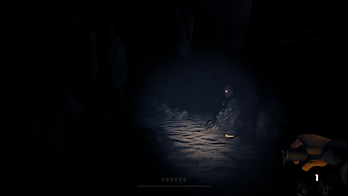
In the game, the player has to explore a completely dark environment. As such lighting is key for him to identify where he is going.
There are 3 type of landmarks in the game:
- The Artifacts, marked by a hot colored light which has the highest contrast as the main objective.
- The Exits, marked by a cold colored light are a side objective . There is enough contrast for the palyer to mark it without focusing on it.
- Basic landmarks, with a neutral white light in focused on a room's unique landmark to help the player identify the room he's in.


Blind Spots
The first thing I did when building the geometry of each room was to decide where I would put blind spots and what would come after each.
Combined with the sound design of the game, it allows me to keep the player tense and surprise him, as he basically doesn't know if a statue awaits for him behind each turn.
That way the player will feel relieved if there's nothing behind a blind spot, but he will also be punished and feel fear if he get ambushed.


Use Statues to build up Tension
The game enemies are statues but not all of them will attack the player. Some will never move and others will wake up later in the game. As such the player never know when a statue will attack him and as such seeing one is a source of tension.
I played with this notion by forcing the player to face the Statues, giving him no choice, for example by putting a statue in a blind spot or making the player walk through a corridor filled with them to get an artifact.
Encounter Design
Statues Design
There are 2 types of Statues in Effigy : Normal and Light ones. There's no difference in their pattern design except from the Light Statue mechanic, which alert the player when he's being chased and can stop another statue.
Activation and Patterns
A Statue's activation depends on the number of artifacts the player retrieved. As he advance in the game more statues will wake up. A Statue can only move in the dark If a Statue is exposed to light, it will stop moving, so the player can escape a statue using his lantern.
Statues have 4 behavior states: Inactive, Guarding, Patroling and Chasing.
Inactive: The statue will not change it's state until the player has enough artifact.
Guarding: The statue stay at one place and chase the player if it sees him.
Patroling: The statue is patroling a road fixed by the designer and chase the player if it sees him.
Chasing: The statue chase the player until it kills or lose him. It then goes back to it's precedent state.
Variations
As explained, a Statue activation is determined by the number of artifact the player retrieved. To create some variations between each game, I made multiple presets for most Statue, the exceptions being the ones I use to teach players. A random preset is chosen when the game start, giving some replayability to Effigy.


Conclusion
Effigy is a project I'm really proud of, as it showed what I could do as a game developper within a short time frame while first-timing Unreal Engine 4. If I had more time there are still things that I would change.
Rooms with better identities - Most of the current Rooms don't have a really strong identity/thematic which makes it hard for the player to identify the Room he is in. If I had to work on the game again or remake it, I would care more about the graphic and design identity of each Room in order to mark the player more.
A true ending and more finitions - We didn't take the time to make a true ending and menus for the game. This is a difference between putting a student project on Steam and putting a fully finished product on the market. After this project was done I now always pay more attention to the finitions and the polish of every game I work on.
Overall this project allowed me to develop my skills on Unreal Engine 4, to publish a game on Steam and finally to improve my level design skills, mainly my lighting and blockout ones.
Thank you for reading !